🎧 MUSIC PRODUCTION EQUIPMENT & HOME STUDIO SETUP
Whether you’re just starting out or looking to upgrade, here’s a complete guide to the essential and advanced gear you’ll need for producing music like a pro.
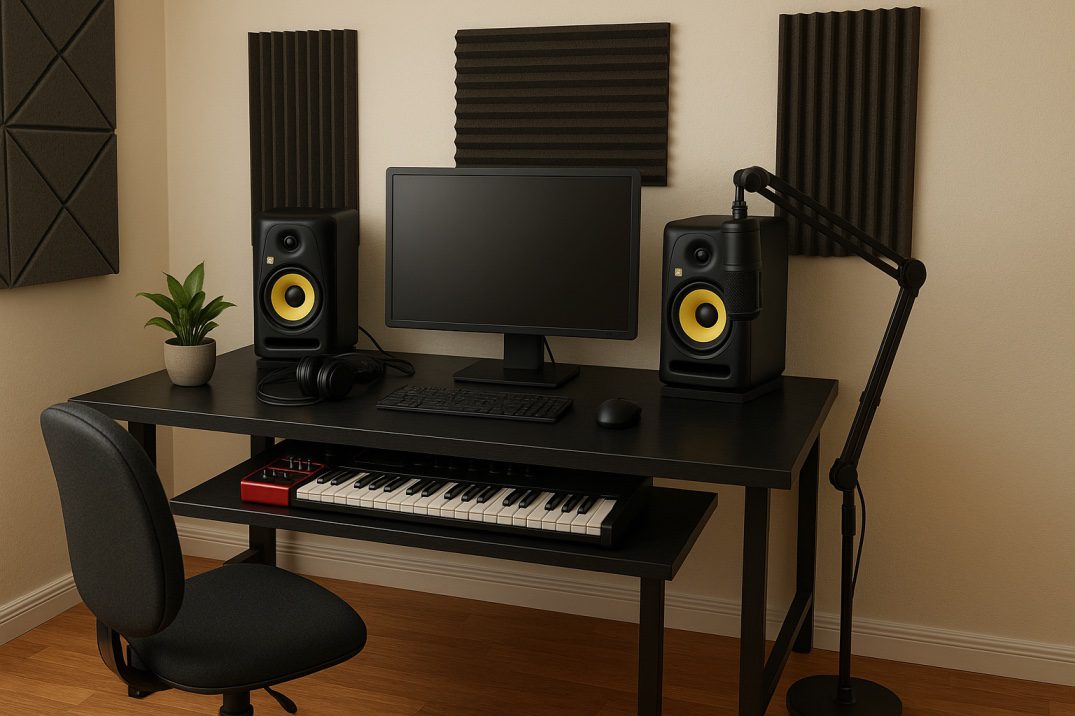
✅ Essential Gear to Start Music Production
You only need three things to begin:
1️⃣ Computer (Mac / PC) – (Minimum Specs):
• RAM: 4 GB (8 GB or more recommended)
• Processor: 2.8 GHz i3 or higher
• Storage: 500 GB (SSD preferred over HDD for faster performance)
2️⃣ Digital Audio Workstation (DAW)
• This is your music-making software.
• Recommended Free Trials: Ableton Live (for Windows & Mac), Logic Pro X (Mac only)
• These provide you full access to professional tools while you learn.
3️⃣ Studio Headphones
• Look for a flat frequency response (not overly bass-boosted)
• Frequency range: 20 Hz to 20 kHz
• 🎧 Popular Models: Sennheiser HD 206 / HD 280, Audio-Technica M30x M40x, M50x, AKG K712 etc.
🚀 Optional Gear to Upgrade Your Studio
As you grow, consider adding:
🪑 Studio Desk
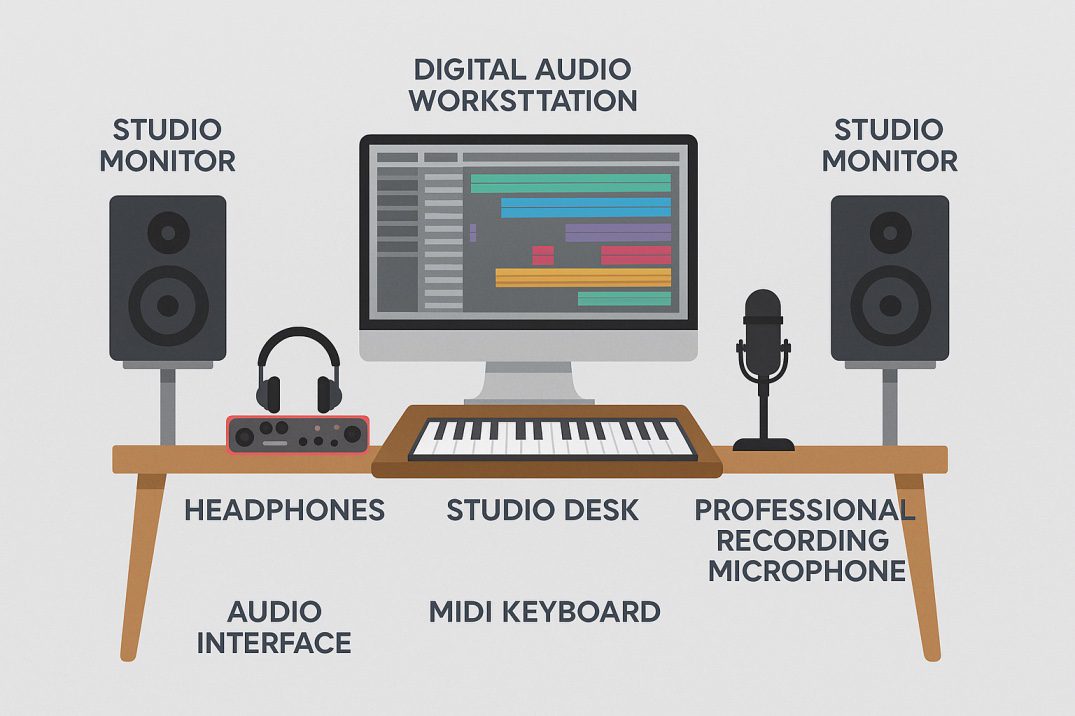
Should comfortably fit and keep everything easily accessible for workflow efficiency.:
• Computer / Keyboard
• Audio Interface
• MIDI Controller
• Studio Monitors
• Microphone
🎹 MIDI Keyboard / Controller
• Sends note, timing, and velocity data to your DAW
• Beginners can start with 25 keys, while pros may prefer 49/61/88-key versions
• Top Brands: M-Audio, Novation, Akai etc.
🎛️ Audio Interface (Sound Card)
Converts analog to digital sound and vice versa. Minimum Specs:
• 24-bit depth
• 96 kHz (or higher)
• At least 2 inputs/2 outputs for stereo monitoring
• Connection Types: USB or Thunderbolt
• Popular Models: Focusrite Scarlett 2i2, Behringer UM2, MOTU M2
🔊 Studio Monitors (Speakers)
• Designed for accurate sound — not enhanced like regular speakers
• Choose flat-response models
• 5-inch drivers are great for home studios
• 📢 Popular Models: KRK Rokit 5, Genelec 8040, Mackie HR824
🧩 VST Plugins, VST Instruments, Sample Packs
• Expand your sound palette with instruments, synths, and effects
• Popular VSTi: Refx Nexus, Omnisphere, Sylenth1, Massive, Spire
• Top Effects Plugins: Waves, FabFilter, Universal Audio, iZotope, SSL
• Sample Libraries: Loopmasters, Vengeance, Beatport Sounds
🎤 Studio Microphones
• Go for condenser mics for vocals and instruments
• Balanced XLR outputs preferred
• Trusted Brands: Rode, Audio-Technica, Shure, Neumann, AKG
🧱 Acoustic Treatment
Use:
• Foam panels on side and rear walls
• Bass traps in corners
• Isolation pads under monitors
These helps eliminate unwanted reflections and echo for better sound clarity
🛠️ Home Studio Setup Tips (Beginner Friendly)
🧱 Room Shape:
• A square room is best. In rectangular rooms, face the shorter wall.
🪑 Desk & Listening Position:
• Place your setup so you’re sitting at the center of the room.
• Form an equilateral triangle between your ears and the two monitors.
🔊 Monitor Placement:
• Place them at ear level
• Keep 1 foot away from the back wall
• Use rubber isolation pads to reduce vibrations
🎧 Other Setup Tips:
• Avoid placing monitors too close to corners
• Use wooden flooring or thick carpets (if needed)
• Prefer solid wooden doors for better isolation
• Avoid symmetry between the back and side walls for better sound diffusion
🟩 Final Note:
Start small — just your laptop, headphones, and a free DAW is enough. As you gain skill, you can build a powerful setup step-by-step based on your needs and budget.